KA SCHOOL is the important stuff

Wednesday, 25 May 2016

Interesting and powerful

Just found this website and it's truly fascinating.
I've been searching for ways to make creating questions for the games easier, where I get AI's and some algorithms to create and test sentences.

What I like about this site is that the breakdown happens as you type and it even has a politeness level.


https://foxtype.com/sentence-tree


Wednesday, 18 May 2016

Hopefully in Japan soon too

HTC Vive Is Investing $100 Million in Virtual Reality Startups

futurism.com · April 29, 2016
In Brief
HTC has announced Vive X, an accelerator program designed to help support startups looking to develop virtual reality content for the HTC Vive VR headset.

The Vive X Program

Startups looking to develop virtual reality (VR) technology using the HTC Vivecould be getting support from HTC itself. The company just announced a $100 million accelerator program called Vive X.
The program will launch in San Francisco and Beijing for a start, with HTC looking to expand the program to many more cities.
The Vive X program is designed to offer startups mentorship and help them secure investment opportunities while providing access to VR technology. HTC would even go so far as to give companies temporary office spaces and host demo days for investors. The pilot program is set to begin in Beijing in May of this year.
A woman tries out the HTC Vive, the next big thing in virtual reality technology. Credit: REUTERS/Kai Pfaffenbach
While HTC has been clear that it is not the only company backing this program, the company is declining to list its other investors. HTC says that their goal is to “support a healthy and vibrant ecosystem for the Vive.”
Any companies that get into the Vive X program will receive anywhere between $50,000 and $200,000, while HTC gets what they are calling “a small amount” of equity.

Taking VR Seriously

The Vive X program is a clear sign that HTC is taking VR and its own future in it very seriously. While the Vive VR headset is still considered an early adopter’s project, it is the biggest thing that HTC has done in years.
The company has been turning most of its resources toward VR, and so far it’s doing great. The HTC Vive is currently the only VR headset available that comes with motion trackers, and its partnership with Steam helps establish the company as the big VR gaming platform of the future.
The Vive X program also sees HTC getting into the huge Chinese market, planting the seeds for what could be their biggest VR market.
Interested companies can apply now.

Might be nice to have one or two.

Touchjet Turns Any Surface Into a Supersized Touchscreen

futurism.com · by Jolene Creighton · April 29, 2016
In Brief
Touchjet's Pond uses infrared technology to recognize movement and transform any surface in your home or office into an interactive touchscreen.
The age of the screen is fully upon us. Whether we are working on laptops, watching YouTube videos on our phones, or checking Facebook on our smart-TVs, a vast majority of the time, we aren’t looking at one another, but at our screens.
This, as it turns out, is kind of a problem.
Fortunately, there are a number of individuals who are working to change things. Case in point, Touchjet. They have made a device that lets you turn any flat surface into a touchscreen. And it’s changing the way that we interact with technology and with one another.

Meet Touchjet

Touchjet Pond Projector. Credit: Touchjet
When I met with Helen Thomas, the CEO of Touchjet, at the 2016 Edison Awards, she stated that one of the company’s major goals is to bring people together.
She notes how screens are increasingly overtaking our lives, stating, “more and more people, especially young children, are using touch technology because of smartphones, but as much as smart devices are connecting people around the world, people are isolated because everybody is sucked into a small screen.”
This is where the idea for the Touchjet Pond comes in.
In short, the Pond is like a tiny wireless projector. It’s an interactive Android PC that transforms the surfaces around you into 80” touchscreens, and it does so for a rather affordable $599, which is far less than many other technologies.
As Thomas notes, “large touchscreen technologies are very cost-prohibitive. An 82-inch touchscreen costs some $22,000.” To that end, part of the goal at Touchjet was to make something that the everyday consumer—the everyday family—could afford.
Thomas clarifies, “As a mother, I think parents and grandparents are increasingly frustrated by the fact that they cannot get their family together anymore because everybody is used to doing their own thing…. So that’s really the mission of the company, to create a shared experience. Now, when a family goes on vacation, they can watch a movie together wherever they are—if they are at a beach house, in the wild, or in a camp.”
Thomas also notes that, as opposed to one person sitting and Clashing on their phone alone, this technology also lets individuals play interactive games together: “You can play Fruit Ninja. You can play Angry Birds. You can play multiplayer games. It’s really shared entertainment built into a device that fits in your hand.”
Of course, you can do a lot more than watch moves or play games. You can do presentations, take notes as a team by writing on the projection with a stylus, and basically anything that you can do on a normal computer…except that it is easier to do with others.

Features

Thomas begins outlining the features by starting with the wireless nature of the device: “I can bring my presentation or material from the cloud without connecting to any laptop or tablet. I can share my presentation just using the projector. It’s truly a wireless experience. At the same time, we allow you to participate using your individual devices.”
And she details how it works, stating that infrared light is ultimately the key to the technology: “The stylus is really a digital pen that ejects infrared light. The light gets captured by the infrared camera on the projector. So we built an infrared camera right next to the projector lens so it sees where the stylus is, and that is simulated as a touch signal. So utilizing the pen allows us to basically have the touch screen anywhere.”
She concludes by noting Touchjet’s vision of the future, and what they hope their role will be in this new age: “We think the world is going to be digital. What we’re providing is an enhanced experience for people to do things together. That’s what we do, and we do it in a way that everybody can afford…and so everybody can enjoy the fun.”
Neither Futurism nor the author of this article received monetary compensation (or any other form of compensation) in exchange for writing this piece. This interview has been slightly edited for clarity and brevity.

Thursday, 12 May 2016

As predicted but earlier than expected

Two interesting stories:


A teaching assistant that wasn't human. Working for over a month on forums through natual language without anyone noticing. Of course, powered by Watson.

http://futurism.com/suprise-georgia-tech-teaching-assistant-isnt-human-shes-robot/


And this little nugget :

http://futurism.com/artificially-intelligent-lawyer-ross-hired-first-official-law-firm/


Even though accelerating change is predictable the rate of change in the first third of this year is constantly surprising.

Tuesday, 10 May 2016

NEW SITE!

A new version of KAISKOOL.COM with a more professional design is up and running.
Games keep track of how many times they are played and many have a high scoring system.
I've also added a few non game curios and will be adding more as the weeks go by.

J


Friday, 25 March 2016

ENGLISH SYNTAX COLOURISER!!! : Colourising parts of speech. Nice.

This Web App Highlights English Syntax Like It's Code

Gizmodo · by Jamie Condliffe


Don’t know your adverbs from your adjectives? This little web app colors text so that each part of speech is a different hue—just like text editors that highlight the syntax of different coding languages.
You can copy a tranche of text into the box, hit tab, and the secrets of our peculiar language are illuminated before your very eyes. To make sense of what you’re looking at, here’s a description from the creator about what you can see.


March of the A.I. (But April of the V.R.)

So as predicted Artificial Intelligence has moved closer to the front pages of popular daily papers and taking the headliner spots on major media.

Next month will be nothing but VR as 4 or 5 major companies will be releasing their products.
Expect to hear about little else in a few weeks.

Here are some of the stories of note regarding A.I. in the last few months alone!

A novel written by a Japanese AI passed the first round of a national literary prize


South Korean Government Announces Nearly $1 Billion in AI Funding


Friday, 12 February 2016

AI GO

Google's AI is Scheduled to Compete Against the Highest Ranked "Go" Player in the World

futurism.com · by Sarah Marquart
In Brief
Google's AlphaGo technology will take on the top-ranked Go player in the world. The match, which will be shown live on Youtube, could have major implications for the AI company.
Google’s artificial intelligence (AI) software, AlphaGo, will compete in Go against the highest ranked player in the world, Lee Sedol.
Demis Hassabis, the head of the Google DeepMind lab behind its AlphaGo AI system, announced that the five-game match will be held March 9, 10, 11, 12, 13, and 15 in Seoul, South Korea. A $1 million prize is in store for the winner.
A New Champion?
This isn’t the first time AlphaGo will be competing at Go, in fact, that’s what it was made to do. AlphaGo is an algorithm that has mastered the game. The AI system played against the French champion, Fan Hui and beat him 5-0.
Google’s DeepMind is using on a type of AI called deep learning, which involves training artificial neural networks on data — such as photos — and then getting them to make inferences about new data.
In this case, the AI predicts which moves to play next by researching expert Go players’ moves in games. It uses a process of trial and error, effectively getting smarter by playing itself.
The Winner Is…
Lee Sedol (left) at the Price Information Cup final, 2010, Source
This doesn’t mean the AI system is the clear-cut winner this time, though.
“I have heard that Google DeepMind’s AI is surprisingly strong and getting stronger, but I am confident that I can win at least this time,” Sedol said in a statement.
If AlphaGo does lose, it would all be seen in real time by a large audience. This type of well-publicized loss could end badly for Google, especially when AI technology is so competitive right now.
However, if AlphaGo is able to win, it could be huge for Google, and could help them compete with companies like Facebook, Microsoft, and Magic Leap.
“If we win the match in March, then that’s sort of the equivalent of beating Kasparov in chess,” Hassabis told reporters in a press briefing on the Nature paper last month. “Lee Sedol is the greatest player of the past decade. I think that would mean AlphaGo would be better than any human at playing Go. Go is the ultimate game in AI research.”
“Ultimately we want to apply these techniques in important real-world problems,” such as climate modeling or medical diagnostics, Hassabis said.

Smiley Clips

I have no idea what to file these under. I just thought they might be a nice addition to printed score reports for the kids.

http://amzn.com/B00EKLNU34

Thursday, 11 February 2016

Score! For us.

As I've mentioned previously I'm personally backing the HTC VIVE for VR headsets as I predicted they will simply be cheaper, better and support many more systems than the Oculus. Despite the fact that I have spent my own money on two versions of the Oculus and then they spit on mac developers and now I am an angry angry man.... grr.

Unity is my main development area and I had guessed this connection was going to happen. It was practically inevitable.

Jab


Valve Brings SteamVR to the Unity Platform – Unity Blog

blogs.unity3d.com · by JP Hawkins

Valve Brings SteamVR to the Unity Platform

, February 10, 2016 in EventsTechnology

Today, during the opening keynote of the inaugural Vision VR / AR Summit, Valve and Unity Technologies announced a new collaboration to offer native support for SteamVR in the Unity Platform, giving developers new reach at no extra cost. Additionally, we will be adding a new VR rendering plugin to further enhance functionality.

The collaboration means that all of Unity’s developers will have access to native support for Valve’s upcoming SteamVR platform. Beyond SteamVR support, Valve has developed an advanced rendering plugin for Unity to further enhance fidelity and performance, bringing consumers more realistic experiences.
Valve co-founder Gabe Newell announced the news during a special video address at the Vision Summit, adding: We made many of our Vive demos using Unity, and continue to use it today in VR development. Through that process, and in working with VR developers, we found some opportunities to make Unity even more robust and powerful for us and really want to share those benefits with all VR content creators.”
Unity CEO John Riccitiello went on to discuss the news during the Vision Summit opening keynote: “Valve and Unity are both dedicated to creating the highest quality VR experiences possible. That means giving developers every possible chance to succeed, and our collaboration with Valve is designed to do just that.”
Valve will also be providing a talk at Vision, and to celebrate the launch, they are surprising every developer at the conference with a free HTC Vive Pre, the latest SteamVR development system. For more information, please visithttp://visionsummit2016.com/

Monday, 8 February 2016

VR WOW

Watching VR games get built in VR will blow your mind | Cult of Mac

cultofmac.com · by Buster Hein · February 5, 2016
Virtual Reality isn’t just going to change how we consume content. It’s going totally change how we make content for the digital world too.
Developers at Epic Games have already created a way to build VR games using the Unreal Editor in VR mode, and it’s unlike any software development tool you’ve ever seen. Rather than clicking around on a 2D screen, designers Tim Sweeney and Mike Fricker show how game makers can walk around inside levels to manipulate objects and get everything just right.
Take a look:
The coolest part is you can use the VR mode to create VR games or boring old 2D stuff.
Epic Games is currently using a HTC Vive for the VR headset and an Oculus Touch controllers. The company says it plans to reveal more details about editing in VR mode for Unreal Editor — along with a release date — at GDC on March 16th.

Friday, 5 February 2016

JABS NOT JABS

I've introduced a couple of new labels so that you can quickly find what I have made or written myself and what I have not.

The non Jab items are usually just links to cool tech.


Tuesday, 2 February 2016

KAIS JAB LABS - Robots, robots everywhere!

This has taken a while but I finally made some progress tonight.
I was using devices with the logo on it just because I live in the dark; technically any piece of paper with the logo printed on it will do.

It can be used in many ways : to unlock a game on the iMacs, show a hidden 'thing of the day' whenever the kids hold the logo to the camera or much more. (Yes, even educational stuff).

Forgive the bad editing, I just wanted to get it online for you to see.


Sunday, 31 January 2016

Introducing : HAMMER

I'll be adding a new character to any new games or learning apps in the future. He will act as a unifier and a guide, not necessarily a part of the interactive itself. Although he might just appear in a few side games.

Hammer will also act as an 'authoritative' figure if needed. When his eyes turn RED then he is in full danger mode. For example, when we have a large monitor in the eating area, Hammer can appear on screen with the red eye lights watching movement and turning toward loud sound. Of course, he can also do funny things too, take pics, point at people etc. The watchful part is just a version of the 'card-board policeman technique' and is an old one and still works today. In the UK, they used to use the occasional Police cutout to slow down drivers who would see the police shape in their peripheral vision. But an interactive watching robot can actually calm down a group of boisterous kiddies too. See the first bullet point below.

Hammer can also be used in the Lobby area to watch people coming and going. In fact, if placed right, he might be able to greet or say goodbye to people as they come and go. He can also give important announcements, be 3D printed and lots more.

If you want an art project, I can actually supply a series of cutout templates and instructions for making a 2m tall version by hand from old cardboard.


H.A.M.M.E.R.


  • Hammer can act as the bridge between the teachers and students. In the original document I spoke of a gripe/rant wall where students can anonymously write ANYTHING they would like to see changed or bring to our notice. Hammer can front that page. On the other hand, Hammer can deliver messages to students, such as 'CHEW YOUR FOOD WITH YOUR MOUTH CLOSED'  or 'WHOMEVER MADE THAT MESS, CLEAN IT UP!', taking that load or slight confrontation from the teachers hands.
  • Hammer is practically indestructible and can be blown up, burned, buried, crushed, thrown and dropped without getting a scratch. In fact, he kind of likes it, especially explosions.
  • Hammer doesn't speak but relies on the fact that two thirds of communication is body language. He has lots of inventive ways to communicate.
  • When he is in a good mood his eyes are green; but be careful when they turn red!
  • He tends to leak oil everywhere. We're looking into that.
  • Can run through walls and have them crash down around him. It's a hobby.
  • Hammer has a pet robot thing. It needs a name. 
  • Hammer has a brother (he's a different colour).
  • Hammer keeps his own blog. For example........


Hammer only recently arrived in Japan and we took him to a local park in Tokyo and also to Nikko.


In Nikko we found that snow and selfies are a problem for robots....


Hasn't figured out the selfie thing yet


Nice app - Gives the news at 5 reading levels automatically. Tests too!


Newsela helps students improve their literacy by reading the news

appadvice.com · by AppAdvice Staff Author
According to the National Assessment of Educational Progress, nearly two thirds of students in the U.S. are not reading at their grade level. Fortunately, there are organizations that seek to improve that statistic. One of them is Newsela, which has just launched its official iOS app to better help students tap into the full potential of their reading ability.

Know the news

As its name suggests, Newsela has to do with news. Specifically, Newsela delivers the news to be read by students at just the right reading levels.
With the app, students can access relevant news articles from renowned sources such as Associated Press, Scientific American, and the Washington Post. More interestingly, they can also adjust the wording of the articles to any of five reading levels by simply swiping upward or downward with two fingers, thereby aiding in their comprehension and competency enhancement while keeping them engaged in current events and other interesting nonfiction subjects.
For example, as shown in the app’s promo video below, the phrase, “revered for her unlikely ascendance in an arts world notorious for showcasing only lithe white ballerinas,” may be simplified as, “deeply respected and admired for her unlikely rise in an arts world notorious for showcasing only slim white ballerinas,” by dragging down on the article in Newsela.
If you can’t see the video embedded above, please click here.

Level up

After reading articles, students can take quizzes in the app to test their reading skills. As they read and take quizzes, Newsela automatically adjusts the reading level to challenge them and push them to boost their literacy. They can also track their progress over time in the app.
Compatible with iPhone, iPod touch, and iPad running iOS 8.1 or later, Newsela is available now on the App Store for free.
Newsela works both online and offline for searching and reading articles, and for taking quizzes.
Newsela also works to help educators in improving their students’ literacy through assignments and progress tracking. If you’re a teacher, parent, or school administrator, just choose “I’m an Educator” instead of “I’m a Learner” when signing up.

Paperless classrooms with iOS

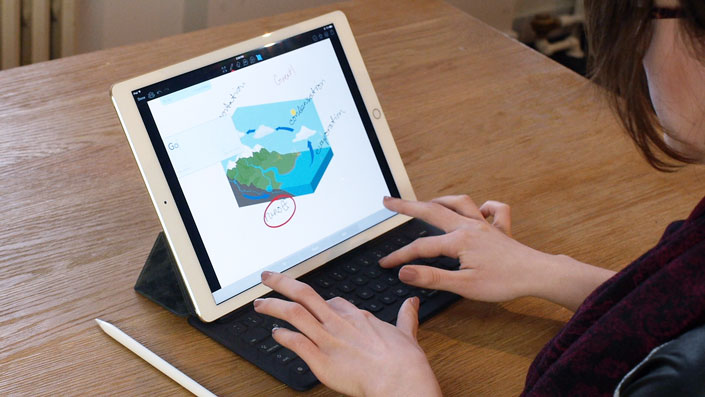
Paperless classroom app Showbie now optimized for iPad Pro and Apple Pencil

appadvice.com · by AppAdvice Staff Author
Apple has transformed the way educators teach and students learn, and it’s thanks in no small part to iOS devices and apps that run on them to make teaching and learning easier. One of these apps is the paperless clasroom appShowbie, which has just received a significant update.
If you’re a teacher, you can use Showbie to easily assign, collect and review your students’ work from other apps, or have your students complete assignments using the app’s built-in rich annotation tools or using apps that are compatible with Showbie.
Showbie is available for iPhone as well as iPad. But in the main, the app is optimized for iPad. And this is made more apparent by its latest update, which delivers improvements for Apple’s newer tablets.

iPad multitasking

First up, the latest update to Showbie adds support for iPad multitasking in iOS 9.
On iPad Pro, iPad Air, iPad Air 2, or iPad mini 2 or later, you can use Slide Over to quickly check Showbie over another app. And on iPad Pro, iPad Air 2, or iPad mini 4, you can use Split View to use Showbie side by side with another app at the same time. “Maybe you’d like to consult a grading rubric while annotating and grading student work in Showbie,” the Showbie team notes, “or have your students browse online resources while working on their assignment.”

iPad Pro support

Showbie is now also fully optimized for iPad Pro. If you have Apple’s 12.9-inch tablet, you’ll be able to see more content at once in Showbie, even in portrait mode. You’ll also be able to see more even when you’re typing feedback if you use a Smart Keyboard with your iPad Pro, since the onscreen keyboard need not be displayed.
What’s more, Showbie is now compatible with Apple Pencil, allowing you to make smooth and accurate annotations with palm rejection support.

Teach and learn with Showbie

The new version of Showbie also features improved VoiceOver support and improved language support.
Moreover, it includes adjustments to parent access to assignments (which was added to Showbie last month), making parent access disabled by default when a new class is created.
If you can’t see the video embedded above, please click here.
Compatible with iPad running iOS 8.0 or later, Showbie is available on the App Store for free, with a $11.99 in-app purchase for unlocking the app’s Pro features including quantitative grade tracking, richer feedback, larger file size support, assignment locking, and complete parent access to assignments.

Thursday, 21 January 2016

Real Movement in VR #2

A smaller earlier version of a similar tech:

This one is quite simple and more practical for school use.


Real movement in Virtual Reality #1

http://futurism.com/the-new-infinadeck-lets-users-explore-immersive-virtual-worlds/

The New Infinadeck Lets Users Explore Immersive Virtual Worlds - Futurism

futurism.com · by Sarah Marquart
In Brief
Introducing the Infinadeck. Paired with a VR headset, this technology could transform how we exercise, train, and step in virtual reality.
The Infinadeck isn’t your grandma’s treadmill. In fact, paired with a VR headset, you can explore immersive new worlds–kind of like the holodeck in Star Trek.
Go Anywhere, Do Anything
Meet the world’s first commercially-viable omnidirectonal treadmill– meaning you can walk on it in any direction. The treadmill reacts to the user’s movement to keep them safely in the center. The Infinadeck is also equipped with a customizable support system that straps comfortably around the user’s waist and keeps them secured.
The treadmill is only 1.3m x 1.7m (4.4ft by 5.6ft) and weighs in at 255kg (500lbs). The machine stands a mere .4m (16in) off the ground. You’ll definitely want a friend (or three) to help you move it in, but it’ll only take up as much space as a large table.
Worried about noise? The Infinadeck’s two motors are actually pretty quiet.
In fact, it’s actually quieter than the average dishwasher. One of the motors moves the platform like a regular treadmill, while the other moves the belt in the perpendicular direction.
The power consumption even comes in at under 1200 watts, about the same as the average refrigerator.
Markets and Uses
The machine is targeted toward customers looking for “precision, high-end, controlled omnidirectional walking solutions,” according to the company’s website.
Also:
  • People who want to pretend they’re in Star Trek
  • People who think staring at a blank wall during exercise is boring
More importantly though, people with risky jobs could benefit from training in a virtual environment. The tool would also be useful for physical therapy, tactical training, and something the company calls “exergaming.”
The company says that the treadmills will be available to strategic business partners, and expects to produce a lower priced consumer model in the near future.